ScreenShooter
v2.4.0
ScreenShooter v2.4.0
New Features
Annotate Screenshot
For times when you need to markup or "Annotate" a screenshot pressing 'a' in-session brings up the "window" screenshot selection tool. After you've selected your area or pressed "spacebar" to capture the whole screen you are given options to markup the screenshot.
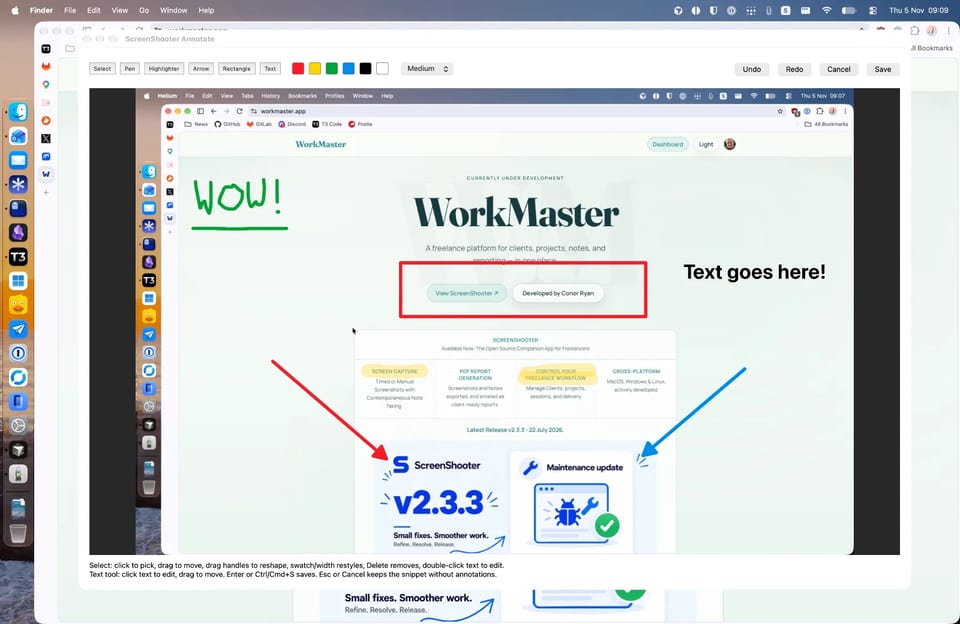
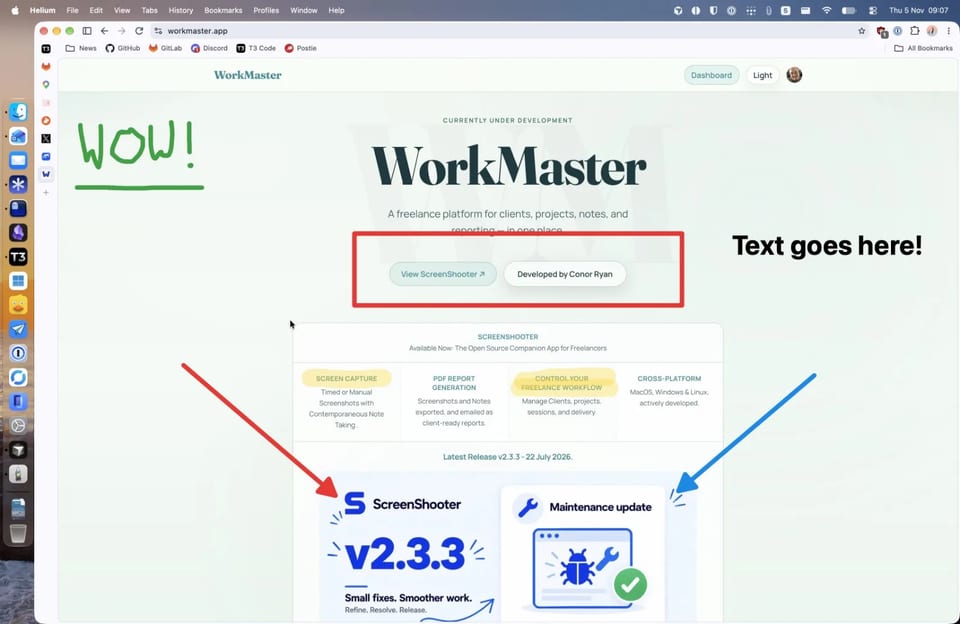
You can annotate screenshots in a variety of colours in the following ways:
- Highlight text
- Add rectangles
- Freehand with "Pen"
- Add Text fields
- Arrows
When finished press the "Save".
Edit Notes
For times when you've made a mistake or need to add more context pressing "e" bringing up the "edit" menu of last 5 "events" gives the option to edit notes. For accountability/audit sake these edited notes will have the (edited) next to them in reports.
Quality of Life Improvements
- Backup menus have been refactored so that backup "scope" and "type" now are a setting that is directly changed not as part of the backup process as previous. These will appear as part of the "Backup Summary" instead.
- If a project has "Goals" these will now apear in a table at the start of a session to help track your progress.
More info on the release, including the code changes, can be found in the ScreenShooter releases.